


Page 42 - X-Air User's Manual
P. 42
42  X AIR User Manual


           The PREAMP knob adjusts the amount of input gain prior to the band-specific   11.  Instructional Videos
           distortion adjustment. BUZZ adjusts the low-end breakup, PUNCH adjusts   A Youtube playlist with over 40 tutorial videos can be found by searching
           the midrange distortion, and CRUNCH tailors the high-frequency content and
           distortion for smooth or cutting notes. The DRIVE knob simulates the amount   for “X AIR How To Videos” on youtube.com. These provide a great source of
                                                               supplementary information to this manual, and cover everything from basic setup,
           of power amp distortion from a tube amp. The LOW and HIGH knobs allow   wireless connection scenarios and channel configuration to advanced FX routing
           EQ adjustment independent of distortion content, and the overall output is
           controlled by the LEVEL knob. The CABINET simulation can be bypassed if the   and global settings.
           guitarist is already using a real cab, which allows the effect to function like a
           boost or distortion pedal. The Dual Guitar Amp allows the left and right channels
           to be adjusted independently.

           Tube Stage


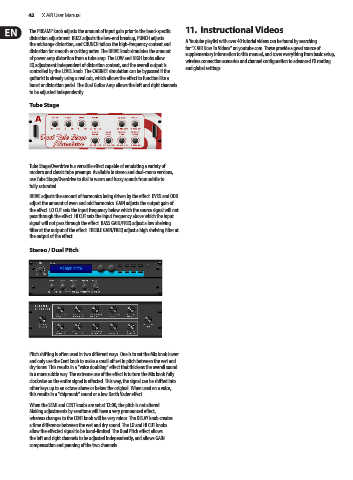
           Tube Stage/Overdrive is a versatile effect capable of emulating a variety of
           modern and classic tube preamps. Available in stereo and dual-mono versions,
           use Tube Stage/Overdrive to dial in warm and fuzzy sounds from subtle to
           fully saturated.
           DRIVE adjusts the amount of harmonics being driven by the effect. EVEN and ODD
           adjust the amount of even and odd harmonics. GAIN adjusts the output gain of
           the effect. LO CUT sets the input frequency below which the source signal will not
           pass through the effect. HI CUT sets the input frequency above which the input
           signal will not pass through the effect. BASS GAIN/FREQ adjust a low shelving
           filter at the output of the effect. TREBLE GAIN/FREQ adjust a high shelving filter at
           the output of the effect.

           Stereo / Dual Pitch


           Pitch shifting is often used in two different ways. One is to set the Mix knob lower
           and only use the Cent knob to make a small off set in pitch between the wet and
           dry tones. This results in a “voice doubling” effect that thickens the overall sound
           in a more subtle way. The extreme use of the effect is to turn the Mix knob fully
           clockwise so the entire signal is effected. This way, the signal can be shifted into
           other keys up to an octave above or below the original. When used on a voice,
           this results in a “chipmunk” sound or a low Darth Vader effect.
           When the SEMI and CENT knobs are set at 12:00, the pitch is not altered.
           Making adjustments by semitone will have a very pronounced effect,
           whereas changes to the CENT knob will be very minor. The DELAY knob creates
           a time difference between the wet and dry sound. The LO and HI CUT knobs
           allow the effected signal to be band-limited. The Dual Pitch effect allows
           the left and right channels to be adjusted independently, and allows GAIN
           compensation and panning of the two channels.

