


Page 39 - X-Air User's Manual
P. 39
39   X AIR User Manual


        The TIME knob adjusts the delay time, and the PATTERN knob sets the delay ratio   Graphic and Tru EQ
        for the right channel and negative values activate a cross feedback between the
        two channels. The FEEDHC knob adjusts the delay high-cut frequency, while the
        FEEDBACK knob adjusts the number of repeats. The X-FEED knob allows you to
        send the delay sound to the chorus effect. The BALANCE knob adjusts the ratio
        between delay and chorus. SPEED, DELAY and DEPTH adjust the rate, delay,
        and modulation depth of the chorus. The right channel LFO PHASE can be offset
        by up to 180 degrees, and WAVE adjusts the chorus character by shaping the
        LFO waveform from sine wave to triangular wave. Use the MIX knob to blend
        the effected signal with the “dry” sound.

        Delay + Flanger


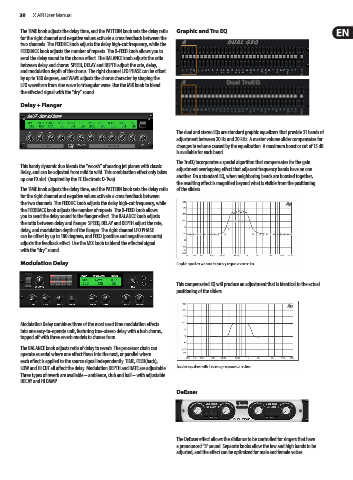
                                                            The dual and stereo EQs are standard graphic equalizers that provide 31 bands of
                                                            adjustment between 20 Hz and 20 kHz. A master volume slider compensates for
                                                            changes in volume caused by the equalization. A maximum boost or cut of 15 dB
                                                            is available for each band.
                                                            The TruEQ incorporates a special algorithm that compensates for the gain
        This handy dynamic duo blends the “woosh” of soaring jet planes with classic
        Delay, and can be adjusted from mild to wild. This combination effect only takes   adjustment overlapping effect that adjacent frequency bands have on one
                                                            another. On a standard EQ, when neighboring bands are boosted together,
        up one FX slot. (Inspired by the TC Electronic D-Two)
                                                            the resulting effect is magnified beyond what is visible from the positioning
        The TIME knob adjusts the delay time, and the PATTERN knob sets the delay ratio   of the sliders.
        for the right channel and negative values activate a cross feedback between
        the two channels. The FEEDHC knob adjusts the delay high-cut frequency, while
        the FEEDBACK knob adjusts the number of repeats. The X-FEED knob allows
        you to send the delay sound to the flanger effect. The BALANCE knob adjusts
        the ratio between delay and flanger. SPEED, DELAY and DEPTH adjust the rate,
        delay, and modulation depth of the flanger. The right channel LFO PHASE
        can be offset by up to 180 degrees, and FEED (positive and negative amounts)
        adjusts the feedback effect. Use the MIX knob to blend the effected signal
        with the “dry” sound.

        Modulation Delay


                                                            This compensated EQ will produce an adjustment that is identical to the actual
                                                            positioning of the sliders.


        Modulation Delay combines three of the most used time modulation effects
        into one easy-to-operate unit, featuring true-stereo delay with a lush chorus,
        topped off with three reverb models to choose from.
        The BALANCE knob adjusts ratio of delay to reverb. The processor chain can
        operate as serial where one effect flows into the next, or parallel where
        each effect is applied to the source signal independently. TIME, FEED(back),
        LOW and HI CUT all affect the delay. Modulation DEPTH and RATE are adjustable.
        Three types of reverb are available – ambience, club and hall – with adjustable
        DECAY and HI DAMP.
                                                            DeEsser


                                                            The DeEsser effect allows the sibilance to be controlled for singers that have
                                                            a pronounced “S” sound. Separate knobs allow the low and high bands to be
                                                            adjusted, and the effect can be optimized for male and female voices.

