


Page 38 - X-Air User's Manual
P. 38
38  X AIR User Manual


           Stereo Tremolo                                      Chorus + Chamber


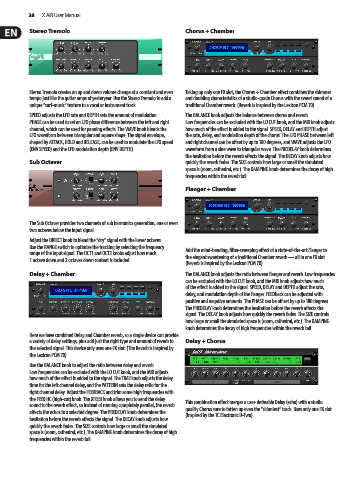
           Stereo Tremolo creates an up and down volume change at a constant and even   Taking up only one FX slot, the Chorus + Chamber effect combines the shimmer
           tempo just like the guitar amps of yesteryear. Use the Stereo Tremolo to add a   and doubling characteristics of a studio-grade Chorus with the sweet sound of a
           unique “surf-music” texture to a vocal or instrument track.  traditional Chamber reverb. (Reverb is Inspired by the Lexicon PCM 70)

           SPEED adjusts the LFO rate and DEPTH sets the amount of modulation.   The BALANCE knob adjusts the balance between chorus and reverb.
           PHASE can be used to set an LFO phase difference between the left and right   Low frequencies can be excluded with the LO CUT knob, and the MIX knob adjusts
           channel, which can be used for panning effects. The WAVE knob blends the   how much of the effect is added to the signal. SPEED, DELAY and DEPTH adjust
           LFO waveform between triangular and square shape. The signal envelope,   the rate, delay, and modulation depth of the chorus. The LFO PHASE between left
           shaped by ATTACK, HOLD and RELEASE, can be used to modulate the LFO speed   and right channel can be offset by up to 180 degrees, and WAVE adjusts the LFO
           (ENV SPEED) and the LFO modulation depth (ENV DEPTH).  waveform from a sine wave to triangular wave. The PREDELAY knob determines
                                                               the hesitation before the reverb affects the signal. The DECAY knob adjusts how
           Sub Octaver                                         quickly the reverb fades. The SIZE controls how large or small the simulated
                                                               space is (room, cathedral, etc.). The DAMPING knob determines the decay of high
                                                               frequencies within the reverb tail.

                                                               Flanger + Chamber


           The Sub Octaver provides two channels of sub harmonics generation, one or even
           two octaves below the input signal.
           Adjust the DIRECT knob to blend the “dry” signal with the lower octaves.
           Use the RANGE switch to optimize the tracking by selecting the frequency   Add the mind-bending, filter-sweeping effect of a state-of-the-art Flanger to
           range of the input signal. The OCT1 and OCT2 knobs adjust how much   the elegant sweetening of a traditional Chamber reverb — all in one FX slot.
           1 octave down and 2 octaves down content is included.
                                                               (Reverb is Inspired by the Lexicon PCM 70)
           Delay + Chamber                                     The BALANCE knob adjusts the ratio between flanger and reverb. Low frequencies
                                                               can be excluded with the LO CUT knob, and the MIX knob adjusts how much
                                                               of the effect is added to the signal. SPEED, DELAY and DEPTH adjust the rate,
                                                               delay, and modulation depth of the flanger. FEEDback can be adjusted with
                                                               positive and negative amounts. The PHASE can be off set by up to 180 degrees.
                                                               The PREDELAY knob determines the hesitation before the reverb affects the
                                                               signal. The DECAY knob adjusts how quickly the reverb fades. The SIZE controls
                                                               how large or small the simulated space is (room, cathedral, etc.). The DAMPING
                                                               knob determines the decay of high frequencies within the reverb tail.
           Here we have combined Delay and Chamber reverb, so a single device can provide
           a variety of delay settings, plus add just the right type and amount of reverb to   Delay + Chorus
           the selected signal. This device only uses one FX slot. (The Reverb is Inspired by
           the Lexicon PCM 70)
           Use the BALANCE knob to adjust the ratio between delay and reverb.
           Low frequencies can be excluded with the LO CUT knob, and the MIX adjusts
           how much of the effect is added to the signal. The TIME knob adjusts the delay
           time for the left channel delay, and the PATTERN sets the delay ratio for the
           right channel delay. Adjust the FEEDBACK and trim some high frequencies with
           the FEED HC (high-cut) knob. The XFEED knob allows you to send the delay   This combination effect merges a user-definable Delay (echo) with a studio
           sound to the reverb effect, so instead of running completely parallel, the reverb   quality Chorus sure to fatten up even the “skinniest” track. Uses only one FX slot.
           affects the echos to a selected degree. The PREDELAY knob determines the
           hesitation before the reverb affects the signal. The DECAY knob adjusts how   (Inspired by the TC Electronic D-Two)
           quickly the reverb fades. The SIZE controls how large or small the simulated
           space is (room, cathedral, etc.). The DAMPING knob determines the decay of high
           frequencies within the reverb tail.

