


Page 41 - X-Air User's Manual
P. 41
41   X AIR User Manual


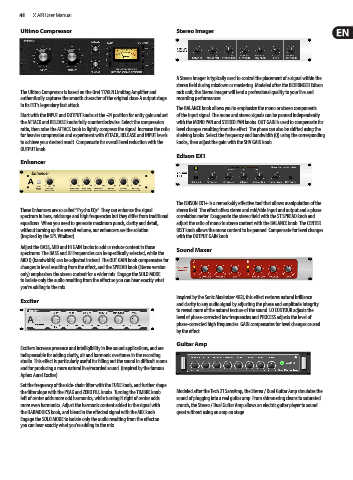
        Ultimo Compressor                                   Stereo Imager


                                                            A Stereo Imager is typically used to control the placement of a signal within the
                                                            stereo field during mixdown or mastering. Modeled after the BEHRINGER Edison
        The Ultimo Compressor is based on the Urei 1176LN Limiting Amplifier and   rack unit, the Stereo Imager will lend a professional quality to your live and
        authentically captures the smooth character of the original class-A output stage   recording performances.
        in its FET's legendary fast attack.
                                                            The BALANCE knob allows you to emphasize the mono or stereo components
        Start with the INPUT and OUTPUT knobs at the -24 position for unity gain and set   of the input signal. The mono and stereo signals can be panned independently
        the ATTACK and RELEASE knobs fully counterclockwise. Select the compression   with the MONO PAN and STEREO PAN knobs. OUT GAIN is used to compensate for
        ratio, then raise the ATTACK knob to lightly compress the signal. Increase the ratio  level changes resulting from the effect. The phase can also be shifted using the
        for heavier compression and experiment with ATTACK, RELEASE and INPUT levels   shelving knobs. Select the frequency and bandwidth (Q) using the corresponding
        to achieve your desired result. Compensate for overall level reduction with the   knobs, then adjust the gain with the SHV GAIN knob.
        OUTPUT knob.
                                                            Edison EX1
        Enhancer


                                                            The EDISON EX1+ is a remarkably effective tool that allows manipulation of the
        These Enhancers are so called “Psycho EQs”. They can enhance the signal   stereo field. The effect offers stereo and mid/side input and output and a phase
        spectrum in bass, midrange and high frequencies but they differ from traditional   correlation meter. Exaggerate the stereo field with the ST SPREAD knob and
        equalizers. When you need to generate maximum punch, clarity and detail,   adjust the ratio of mono to stereo content with the BALANCE knob. The CENTER
        without turning up the overall volume, our enhancers are the solution.   DIST knob allows the mono content to be panned. Compensate for level changes
        (Inspired by the SPL Vitalizer)                     with the OUTPUT GAIN knob.
        Adjust the BASS, MID and HI GAIN knobs to add or reduce content in those   Sound Maxer
        spectrums. The BASS and HI Frequencies can be specifically selected, while the
        MID Q (bandwidth) can be adjusted instead. The OUT GAIN knob compensates for
        changes in level resulting from the effect, and the SPREAD knob (Stereo version
        only) emphasizes the stereo content for a wider mix. Engage the SOLO MODE
        to isolate only the audio resulting from the effect so you can hear exactly what
        you’re adding to the mix.
                                                            Inspired by the Sonic Maximizer 482i, this effect restores natural brilliance
        Exciter
                                                            and clarity to any audio signal by adjusting the phase and amplitude integrity
                                                            to reveal more of the natural texture of the sound. LO CONTOUR adjusts the
                                                            level of phase-corrected low frequencies and PROCESS adjusts the level of
                                                            phase-corrected high frequencies. GAIN compensates for level changes caused
                                                            by the effect.

                                                            Guitar Amp
        Exciters increase presence and intelligibility in live sound applications, and are
        indispensable for adding clarity, air and harmonic overtones in the recording
        studio. This effect is particularly useful for filling out the sound in difficult rooms
        and for producing a more natural live/recorded sound. (Inspired by the famous
        Aphex Aural Exciter)
        Set the frequency of the side-chain filter with the TUNE knob, and further shape
        the filter slope with the PEAK and ZERO FILL knobs. Turning the TIMBRE knob   Modeled after the Tech 21 SansAmp, the Stereo / Dual Guitar Amp simulates the
        left of center adds more odd harmonics, while turning it right of center adds   sound of plugging into a real guitar amp. From shimmering cleans to saturated
        more even harmonics. Adjust the harmonic content added to the signal with   crunch, the Stereo / Dual Guitar Amp allows an electric guitar player to sound
        the HARMONICS knob, and blend in the effected signal with the MIX knob.   great without using an amp on stage.
        Engage the SOLO MODE to isolate only the audio resulting from the effect so
        you can hear exactly what you’re adding to the mix.

