


Page 37 - Computing E-Book Grade 6
P. 37
The City School  2021-2022


             2.1.  Overview


             A word processor is software or a device that allows
             users to create, edit, and print documents. We have

             covered the basics of Microsoft Word in previous
             class levels. In this chapter we will work with advance

             features of word.

             2.2.  Using Header and Footer


             The header is a section of the document that appears in the top margin, while the
             footer is a section of the document that appears in the bottom margin. Headers and

             footers generally contain additional information such as page numbers, dates, an
             author’s name, and footnotes, which can help keep longer documents organized and

             make them easier to read. Text entered in the header or footer will appear on each
             page of the document.


             Insert Header and Footer in Document


             In our example, we want to display the author’s name at the top of each page, so we

             will place it in the header. Also, we will place document title and page number at the
             bottom of each page, so we will place it in the footer.


             Steps to insert page header and footer


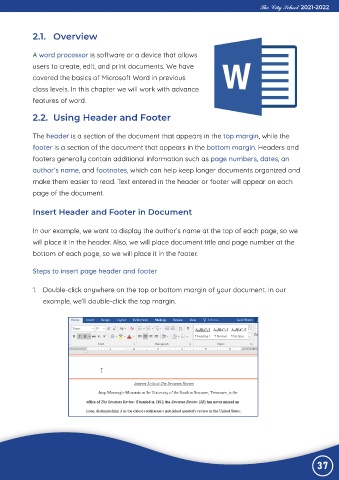
             1.  Double-click anywhere on the top or bottom margin of your document. In our

                example, we’ll double-click the top margin.


                                                                                                                37

