


Page 42 - Computing E-Book Grade 6
P. 42
The City School  2021-2022


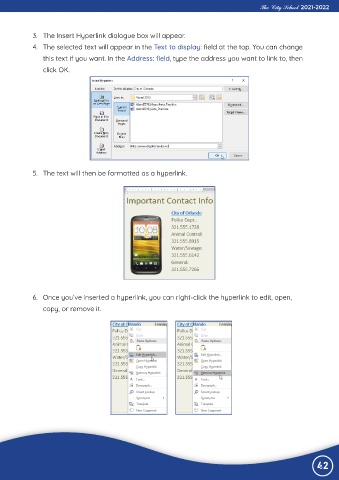
             3.  The Insert Hyperlink dialogue box will appear.
             4.  The selected text will appear in the Text to display: field at the top. You can change

                this text if you want. In the Address: field, type the address you want to link to, then
                click OK.


             5.  The text will then be formatted as a hyperlink.


             6.  Once you’ve inserted a hyperlink, you can right-click the hyperlink to edit, open,
                copy, or remove it.


                                                                                                                42

