


Page 38 - Computing E-Book Grade 6
P. 38
The City School  2021-2022


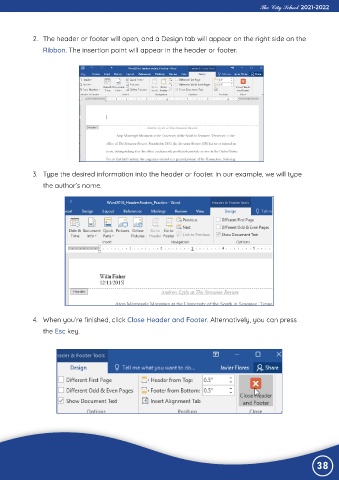
             2.  The header or footer will open, and a Design tab will appear on the right side on the

                Ribbon. The insertion point will appear in the header or footer.


             3.  Type the desired information into the header or footer. In our example, we will type

                the author’s name.


             4.  When you’re finished, click Close Header and Footer. Alternatively, you can press
                the Esc key.


                                                                                                                38

