


Page 15 - Computing E-Book Grade 3
P. 15
The City School  2021-2022


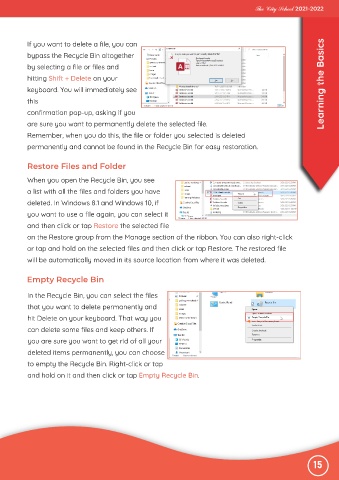
           If you want to delete a file, you can

           bypass the Recycle Bin altogether

           by selecting a file or files and
           hitting Shift + Delete on your
           keyboard. You will immediately see                                                                      Learning the Basics

           this

           confirmation pop-up, asking if you
           are sure you want to permanently delete the selected file.
           Remember, when you do this, the file or folder you selected is deleted

           permanently and cannot be found in the Recycle Bin for easy restoration.


           Restore Files and Folder

           When you open the Recycle Bin, you see

           a list with all the files and folders you have
           deleted. In Windows 8.1 and Windows 10, if

           you want to use a file again, you can select it
           and then click or tap Restore the selected file

           on the Restore group from the Manage section of the ribbon. You can also right-click
           or tap and hold on the selected files and then click or tap Restore. The restored file

           will be automatically moved in its source location from where it was deleted.


           Empty Recycle Bin


           In the Recycle Bin, you can select the files
           that you want to delete permanently and

           hit Delete on your keyboard. That way you
           can delete some files and keep others. If

           you are sure you want to get rid of all your
           deleted items permanently, you can choose

           to empty the Recycle Bin. Right-click or tap
           and hold on it and then click or tap Empty Recycle Bin.


                                                                                                               15

