


Page 14 - Computing E-Book Grade 3
P. 14
The City School  2021-2022


           1.5.  Recycle Bin


           The Recycle bin is similar to a trashcan available in every house. The Recycle Bin is used

           by Windows computer; to store deleted/trash items. It temporarily stores files and folders
           before they are permanently deleted. You can open the Recycle Bin by double-clicking the

           icon on the Windows desktop.

           When it is empty, the icon is an empty recycle bin. If it
           contains one or more items, the icon changes to a recycle

           bin with papers in it.
           You can move items to the Recycle Bin by either dragging

           them to the Recycle Bin icon or by selecting the items and
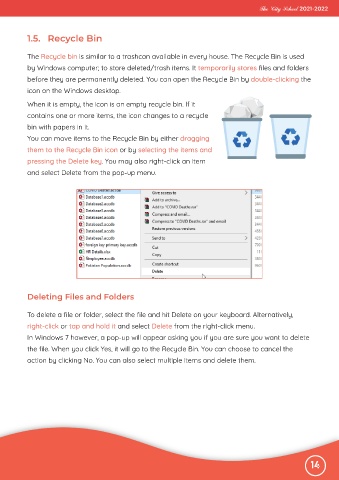
           pressing the Delete key. You may also right-click an item

           and select Delete from the pop-up menu.


           Deleting Files and Folders


           To delete a file or folder, select the file and hit Delete on your keyboard. Alternatively,
           right-click or tap and hold it and select Delete from the right-click menu.

           In Windows 7 however, a pop-up will appear asking you if you are sure you want to delete
           the file. When you click Yes, it will go to the Recycle Bin. You can choose to cancel the

           action by clicking No. You can also select multiple items and delete them.


                                                                                                              14

