


Page 632 - Windows 10 May 2019 Update The Missing Manual: The Book That Should Have Been in the Box
P. 632
GEM IN THE ROUGH THE TAB MUTE BUTTON

                   It’s one of the most annoying situations in all of computing: Sound is
                   blaring from some tab somewhere, and you don’t know which one. And

                   you just want it to stop.


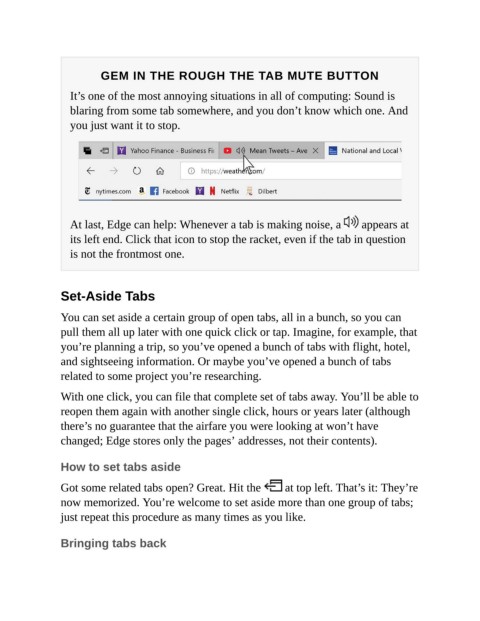
                   At last, Edge can help: Whenever a tab is making noise, a                  appears at
                   its left end. Click that icon to stop the racket, even if the tab in question
                   is not the frontmost one.


                Set-Aside Tabs


                You can set aside a certain group of open tabs, all in a bunch, so you can
                pull them all up later with one quick click or tap. Imagine, for example, that
                you’re planning a trip, so you’ve opened a bunch of tabs with flight, hotel,
                and sightseeing information. Or maybe you’ve opened a bunch of tabs

                related to some project you’re researching.

                With one click, you can file that complete set of tabs away. You’ll be able to
                reopen them again with another single click, hours or years later (although

                there’s no guarantee that the airfare you were looking at won’t have
                changed; Edge stores only the pages’ addresses, not their contents).


                How to set tabs aside


                Got some related tabs open? Great. Hit the                at top left. That’s it: They’re
                now memorized. You’re welcome to set aside more than one group of tabs;
                just repeat this procedure as many times as you like.


                Bringing tabs back

