


Page 100 - Python Data Science Handbook
P. 100
In[16]: selection = X[indices]  # fancy indexing here
                           selection.shape
                   Out[16]: (20, 2)
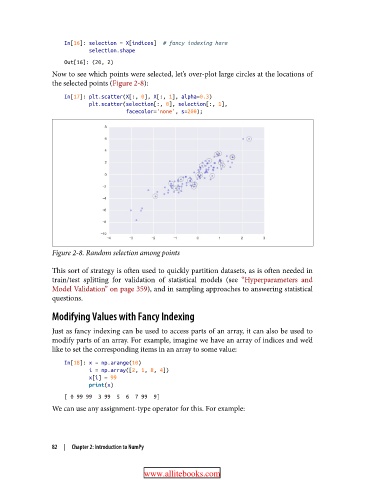
               Now to see which points were selected, let’s over-plot large circles at the locations of
               the selected points (Figure 2-8):

                   In[17]: plt.scatter(X[:, 0], X[:, 1], alpha=0.3)
                           plt.scatter(selection[:, 0], selection[:, 1],
                                       facecolor='none', s=200);


               Figure 2-8. Random selection among points

               This sort of strategy is often used to quickly partition datasets, as is often needed in
               train/test splitting for validation of statistical models (see “Hyperparameters and
               Model Validation” on page 359), and in sampling approaches to answering statistical
               questions.

               Modifying Values with Fancy Indexing

               Just as fancy indexing can be used to access parts of an array, it can also be used to
               modify parts of an array. For example, imagine we have an array of indices and we’d
               like to set the corresponding items in an array to some value:

                   In[18]: x = np.arange(10)
                           i = np.array([2, 1, 8, 4])
                           x[i] = 99
                           print(x)
                   [ 0 99 99  3 99  5  6  7 99  9]
               We can use any assignment-type operator for this. For example:


               82  |  Chapter 2: Introduction to NumPy


                                         www.allitebooks.com

