


Page 101 - Python Data Science Handbook
P. 101
In[19]: x[i] -= 10
                           print(x)
                   [ 0 89 89  3 89  5  6  7 89  9]
               Notice, though, that repeated indices with these operations can cause some poten‐
               tially unexpected results. Consider the following:

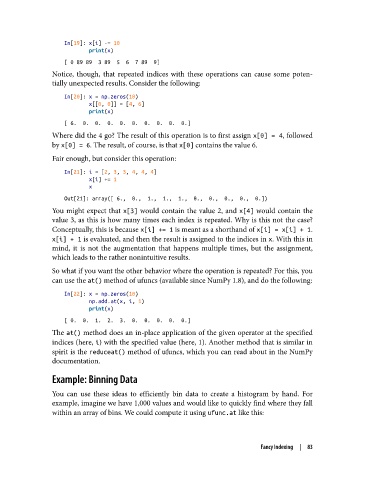
                   In[20]: x = np.zeros(10)
                           x[[0, 0]] = [4, 6]
                           print(x)
                   [ 6.  0.  0.  0.  0.  0.  0.  0.  0.  0.]
               Where did the 4 go? The result of this operation is to first assign x[0] = 4, followed
               by x[0] = 6. The result, of course, is that x[0] contains the value 6.
               Fair enough, but consider this operation:

                   In[21]: i = [2, 3, 3, 4, 4, 4]
                           x[i] += 1
                           x
                   Out[21]: array([ 6.,  0.,  1.,  1.,  1.,  0.,  0.,  0.,  0.,  0.])
               You might expect that x[3] would contain the value 2, and x[4] would contain the
               value 3, as this is how many times each index is repeated. Why is this not the case?
               Conceptually, this is because x[i] += 1 is meant as a shorthand of x[i] = x[i] + 1.
               x[i] + 1 is evaluated, and then the result is assigned to the indices in x. With this in
               mind, it is not the augmentation that happens multiple times, but the assignment,
               which leads to the rather nonintuitive results.

               So what if you want the other behavior where the operation is repeated? For this, you
               can use the at() method of ufuncs (available since NumPy 1.8), and do the following:

                   In[22]: x = np.zeros(10)
                           np.add.at(x, i, 1)
                           print(x)
                   [ 0.  0.  1.  2.  3.  0.  0.  0.  0.  0.]
               The at() method does an in-place application of the given operator at the specified
               indices (here, i) with the specified value (here, 1). Another method that is similar in
               spirit is the reduceat() method of ufuncs, which you can read about in the NumPy
               documentation.

               Example: Binning Data

               You can use these ideas to efficiently bin data to create a histogram by hand. For
               example, imagine we have 1,000 values and would like to quickly find where they fall
               within an array of bins. We could compute it using ufunc.at like this:


                                                                         Fancy Indexing  |  83

