


Page 98 - Python Data Science Handbook
P. 98
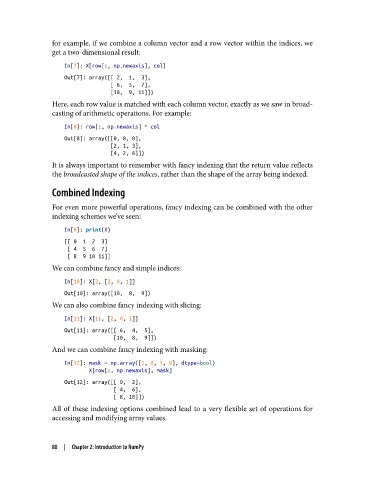
for example, if we combine a column vector and a row vector within the indices, we
               get a two-dimensional result:

                   In[7]: X[row[:, np.newaxis], col]
                   Out[7]: array([[ 2,  1,  3],
                                  [ 6,  5,  7],
                                  [10,  9, 11]])
               Here, each row value is matched with each column vector, exactly as we saw in broad‐
               casting of arithmetic operations. For example:
                   In[8]: row[:, np.newaxis] * col
                   Out[8]: array([[0, 0, 0],
                                  [2, 1, 3],
                                  [4, 2, 6]])
               It is always important to remember with fancy indexing that the return value reflects
               the broadcasted shape of the indices, rather than the shape of the array being indexed.

               Combined Indexing

               For even more powerful operations, fancy indexing can be combined with the other
               indexing schemes we’ve seen:

                   In[9]: print(X)
                   [[ 0  1  2  3]
                    [ 4  5  6  7]
                    [ 8  9 10 11]]
               We can combine fancy and simple indices:

                   In[10]: X[2, [2, 0, 1]]
                   Out[10]: array([10,  8,  9])
               We can also combine fancy indexing with slicing:
                   In[11]: X[1:, [2, 0, 1]]
                   Out[11]: array([[ 6,  4,  5],
                                   [10,  8,  9]])
               And we can combine fancy indexing with masking:

                   In[12]: mask = np.array([1, 0, 1, 0], dtype=bool)
                           X[row[:, np.newaxis], mask]
                   Out[12]: array([[ 0,  2],
                                   [ 4,  6],
                                   [ 8, 10]])
               All of these indexing options combined lead to a very flexible set of operations for
               accessing and modifying array values.


               80  |  Chapter 2: Introduction to NumPy

