


Page 102 - Python Data Science Handbook
P. 102
In[23]: np.random.seed(42)
                           x = np.random.randn(100)

                           # compute a histogram by hand
                           bins = np.linspace(-5, 5, 20)
                           counts = np.zeros_like(bins)

                           # find the appropriate bin for each x
                           i = np.searchsorted(bins, x)

                           # add 1 to each of these bins
                           np.add.at(counts, i, 1)
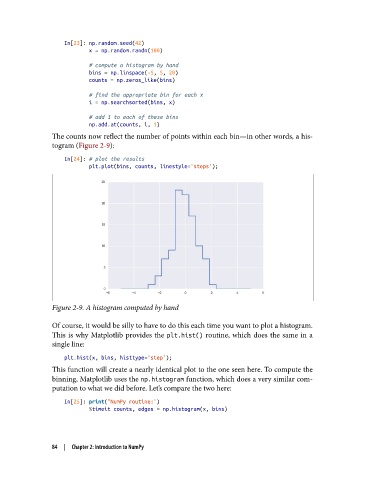
               The counts now reflect the number of points within each bin—in other words, a his‐
               togram (Figure 2-9):

                   In[24]: # plot the results
                           plt.plot(bins, counts, linestyle='steps');


               Figure 2-9. A histogram computed by hand

               Of course, it would be silly to have to do this each time you want to plot a histogram.
               This is why Matplotlib provides the plt.hist()  routine, which does the same in a
               single line:

                   plt.hist(x, bins, histtype='step');
               This function will create a nearly identical plot to the one seen here. To compute the
               binning, Matplotlib uses the np.histogram function, which does a very similar com‐
               putation to what we did before. Let’s compare the two here:

                   In[25]: print("NumPy routine:")
                           %timeit counts, edges = np.histogram(x, bins)


               84  |  Chapter 2: Introduction to NumPy

