


Page 103 - Python Data Science Handbook
P. 103
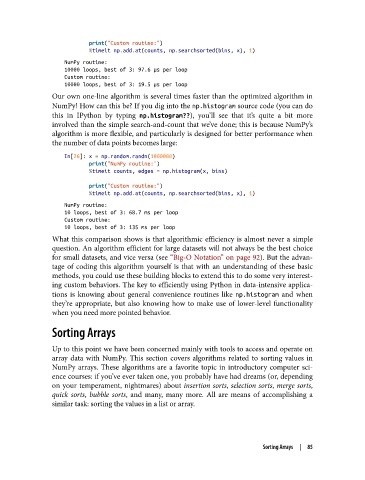
print("Custom routine:")
                           %timeit np.add.at(counts, np.searchsorted(bins, x), 1)
                   NumPy routine:
                   10000 loops, best of 3: 97.6 µs per loop
                   Custom routine:
                   10000 loops, best of 3: 19.5 µs per loop
               Our own one-line algorithm is several times faster than the optimized algorithm in
               NumPy! How can this be? If you dig into the np.histogram source code (you can do
               this in IPython by typing np.histogram??), you’ll see that it’s quite a bit more
               involved than the simple search-and-count that we’ve done; this is because NumPy’s
               algorithm is more flexible, and particularly is designed for better performance when
               the number of data points becomes large:
                   In[26]: x = np.random.randn(1000000)
                           print("NumPy routine:")
                           %timeit counts, edges = np.histogram(x, bins)

                           print("Custom routine:")
                           %timeit np.add.at(counts, np.searchsorted(bins, x), 1)
                   NumPy routine:
                   10 loops, best of 3: 68.7 ms per loop
                   Custom routine:
                   10 loops, best of 3: 135 ms per loop
               What this comparison shows is that algorithmic efficiency is almost never a simple
               question. An algorithm efficient for large datasets will not always be the best choice
               for small datasets, and vice versa (see “Big-O Notation” on page 92). But the advan‐
               tage of coding this algorithm yourself is that with an understanding of these basic
               methods, you could use these building blocks to extend this to do some very interest‐
               ing custom behaviors. The key to efficiently using Python in data-intensive applica‐
               tions is knowing about general convenience routines like np.histogram  and when
               they’re appropriate, but also knowing how to make use of lower-level functionality
               when you need more pointed behavior.

               Sorting Arrays

               Up to this point we have been concerned mainly with tools to access and operate on
               array data with NumPy. This section covers algorithms related to sorting values in
               NumPy arrays. These algorithms are a favorite topic in introductory computer sci‐
               ence courses: if you’ve ever taken one, you probably have had dreams (or, depending
               on your temperament, nightmares) about insertion sorts, selection sorts, merge sorts,
               quick sorts, bubble sorts, and many, many more. All are means of accomplishing a
               similar task: sorting the values in a list or array.


                                                                          Sorting Arrays  |  85

