


Page 231 - Python Data Science Handbook
P. 231
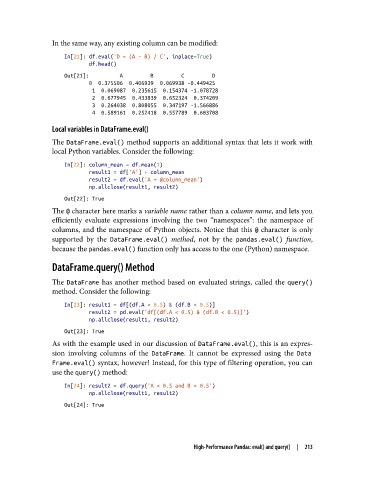
In the same way, any existing column can be modified:

                   In[21]: df.eval('D = (A - B) / C', inplace=True)
                           df.head()
                   Out[21]:          A         B         C         D
                           0  0.375506  0.406939  0.069938 -0.449425
                            1  0.069087  0.235615  0.154374 -1.078728
                            2  0.677945  0.433839  0.652324  0.374209
                            3  0.264038  0.808055  0.347197 -1.566886
                            4  0.589161  0.252418  0.557789  0.603708
               Local variables in DataFrame.eval()

               The DataFrame.eval() method supports an additional syntax that lets it work with
               local Python variables. Consider the following:

                   In[22]: column_mean = df.mean(1)
                           result1 = df['A'] + column_mean
                           result2 = df.eval('A + @column_mean')
                           np.allclose(result1, result2)
                   Out[22]: True
               The @ character here marks a variable name rather than a column name, and lets you
               efficiently evaluate expressions involving the two “namespaces”: the namespace of
               columns, and the namespace of Python objects. Notice that this @  character is only
               supported by the DataFrame.eval()  method, not by the pandas.eval()  function,
               because the pandas.eval() function only has access to the one (Python) namespace.

               DataFrame.query() Method

               The DataFrame  has another method based on evaluated strings, called the query()
               method. Consider the following:

                   In[23]: result1 = df[(df.A < 0.5) & (df.B < 0.5)]
                           result2 = pd.eval('df[(df.A < 0.5) & (df.B < 0.5)]')
                           np.allclose(result1, result2)
                   Out[23]: True
               As with the example used in our discussion of DataFrame.eval(), this is an expres‐
               sion involving columns of the DataFrame. It cannot be expressed using the Data
               Frame.eval() syntax, however! Instead, for this type of filtering operation, you can
               use the query() method:

                   In[24]: result2 = df.query('A < 0.5 and B < 0.5')
                           np.allclose(result1, result2)
                   Out[24]: True


                                                       High-Performance Pandas: eval() and query()  |  213

