


Page 228 - Python Data Science Handbook
P. 228
In[5]: import numexpr
                          mask_numexpr = numexpr.evaluate('(x > 0.5) & (y < 0.5)')
                          np.allclose(mask, mask_numexpr)
                   Out[5]: True
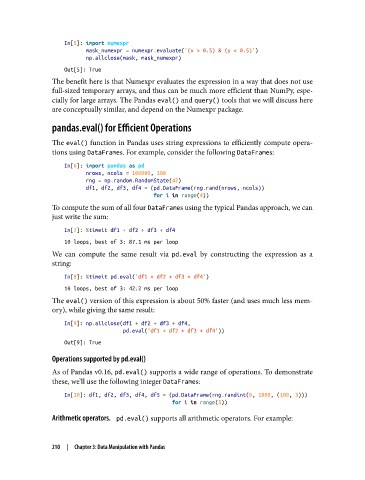
               The benefit here is that Numexpr evaluates the expression in a way that does not use
               full-sized temporary arrays, and thus can be much more efficient than NumPy, espe‐
               cially for large arrays. The Pandas eval() and query() tools that we will discuss here
               are conceptually similar, and depend on the Numexpr package.

               pandas.eval() for Efficient Operations

               The eval() function in Pandas uses string expressions to efficiently compute opera‐
               tions using DataFrames. For example, consider the following DataFrames:

                   In[6]: import pandas as pd
                          nrows, ncols = 100000, 100
                          rng = np.random.RandomState(42)
                          df1, df2, df3, df4 = (pd.DataFrame(rng.rand(nrows, ncols))
                                                for i in range(4))
               To compute the sum of all four DataFrames using the typical Pandas approach, we can
               just write the sum:

                   In[7]: %timeit df1 + df2 + df3 + df4
                   10 loops, best of 3: 87.1 ms per loop
               We can compute the same result via pd.eval  by constructing the expression as a
               string:

                   In[8]: %timeit pd.eval('df1 + df2 + df3 + df4')
                   10 loops, best of 3: 42.2 ms per loop
               The eval() version of this expression is about 50% faster (and uses much less mem‐
               ory), while giving the same result:

                   In[9]: np.allclose(df1 + df2 + df3 + df4,
                                      pd.eval('df1 + df2 + df3 + df4'))
                   Out[9]: True

               Operations supported by pd.eval()
               As of Pandas v0.16, pd.eval() supports a wide range of operations. To demonstrate
               these, we’ll use the following integer DataFrames:

                   In[10]: df1, df2, df3, df4, df5 = (pd.DataFrame(rng.randint(0, 1000, (100, 3)))
                                                      for i in range(5))
               Arithmetic operators.    pd.eval() supports all arithmetic operators. For example:


               210  |  Chapter 3: Data Manipulation with Pandas

