


Page 31 - 18-868 SEO PowerSuite Workflow_VPMGC
P. 31
SEO Workflow


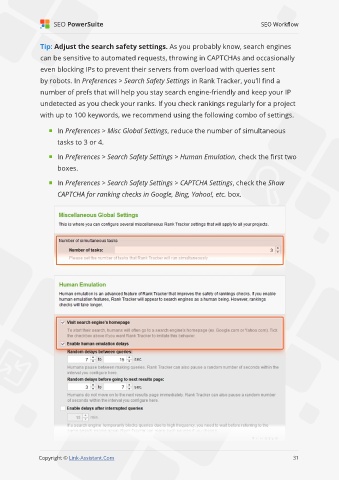
               Tip: Adjust the search safety settings. As you probably know, search engines

               can be sensitive to automated requests, throwing in CAPTCHAs and occasionally
               even blocking IPs to prevent their servers from overload with queries sent

               by robots. In Preferences > Search Safety Settings in Rank Tracker, you’ll find a
               number of prefs that will help you stay search engine-friendly and keep your IP

               undetected as you check your ranks. If you check rankings regularly for a project
               with up to 100 keywords, we recommend using the following combo of settings.


                     In Preferences > Misc Global Settings, reduce the number of simultaneous
                     tasks to 3 or 4.

                     In Preferences > Search Safety Settings > Human Emulation, check the first two

                     boxes.

                     In Preferences > Search Safety Settings > CAPTCHA Settings, check the Show

                     CAPTCHA for ranking checks in Google, Bing, Yahoo!, etc. box.


                                                                                                             31

               Copyright © Link-Assistant.Com                                                           31

