


Page 29 - 18-868 SEO PowerSuite Workflow_VPMGC
P. 29
SEO Workflow


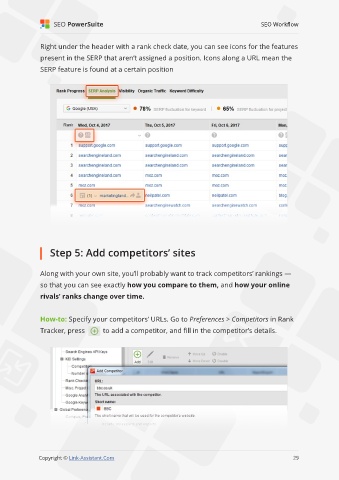
               Right under the header with a rank check date, you can see icons for the features

               present in the SERP that aren’t assigned a position. Icons along a URL mean the
               SERP feature is found at a certain position


                   Step 5: Add competitors’ sites


               Along with your own site, you’ll probably want to track competitors’ rankings —
               so that you can see exactly how you compare to them, and how your online

               rivals’ ranks change over time.


               How-to: Specify your competitors’ URLs. Go to Preferences > Competitors in Rank
               Tracker, press        to add a competitor, and fill in the competitor’s details.


                                                                                                             29

               Copyright © Link-Assistant.Com                                                           29

