


Page 42 - Computing book 6
P. 42
Document Creation                                                                    Class 6


               Step 6:
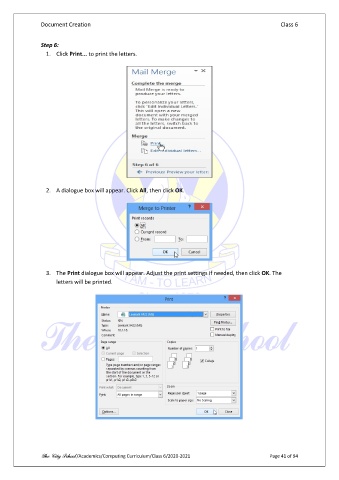
                 1.  Click Print... to print the letters.


                 2.  A dialogue box will appear. Click All, then click OK.


                 3.  The Print dialogue box will appear. Adjust the print settings if needed, then click OK. The
                     letters will be printed.


               The City School /Academics/Computing Curriculum/Class 6/2020-2021                Page 41 of 94

