


Page 41 - Computing book 6
P. 41
Document Creation                                                                    Class 6


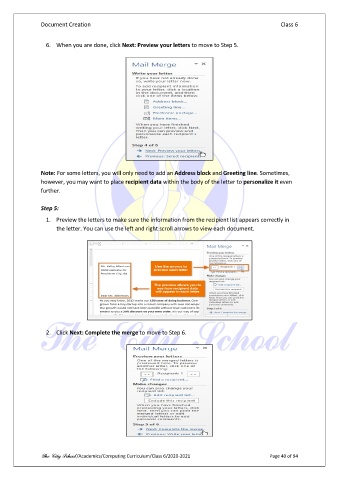
                 6.  When you are done, click Next: Preview your letters to move to Step 5.


               Note: For some letters, you will only need to add an Address block and Greeting line. Sometimes,
               however, you may want to place recipient data within the body of the letter to personalize it even
               further.

               Step 5:

                 1.  Preview the letters to make sure the information from the recipient list appears correctly in
                     the letter. You can use the left and right scroll arrows to view each document.


                 2.  Click Next: Complete the merge to move to Step 6.


               The City School /Academics/Computing Curriculum/Class 6/2020-2021                Page 40 of 94

