


Page 57 - Computing book 6
P. 57
Modular Designing                                                                    Class 6


                   6.  When you release the mouse button, the shape is surrounded by dashed green lines with
                       green squares called selection handles, and sometimes yellow diamonds called control
                       handles.
                   7.  Repeat step 5 and 6 to add another shape to the page.
                   8.  Connect the shapes together by using the connector tool.

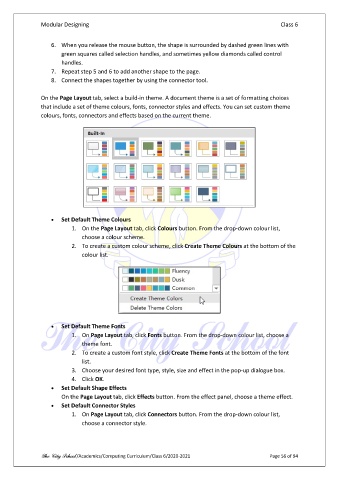
               On the Page Layout tab, select a build-in theme. A document theme is a set of formatting choices
               that include a set of theme colours, fonts, connector styles and effects. You can set custom theme
               colours, fonts, connectors and effects based on the current theme.


                   •  Set Default Theme Colours
                          1.  On the Page Layout tab, click Colours button. From the drop-down colour list,
                              choose a colour scheme.
                          2.  To create a custom colour scheme, click Create Theme Colours at the bottom of the
                              colour list.


                   •  Set Default Theme Fonts
                          1.  On Page Layout tab, click Fonts button. From the drop-down colour list, choose a
                              theme font.
                          2.  To create a custom font style, click Create Theme Fonts at the bottom of the font
                              list.
                          3.  Choose your desired font type, style, size and effect in the pop-up dialogue box.
                          4.  Click OK.
                   •  Set Default Shape Effects
                       On the Page Layout tab, click Effects button. From the effect panel, choose a theme effect.
                   •  Set Default Connector Styles
                          1.  On Page Layout tab, click Connectors button. From the drop-down colour list,
                              choose a connector style.


               The City School /Academics/Computing Curriculum/Class 6/2020-2021                Page 56 of 94

