


Page 9 - Computing book 6
P. 9
Analysing Data                                                                       Class 6


               LEFT, RIGHT, MID

               These formulas are used to extract a part of a string (substring) use the LEFT, RIGHT and MID
               functions.

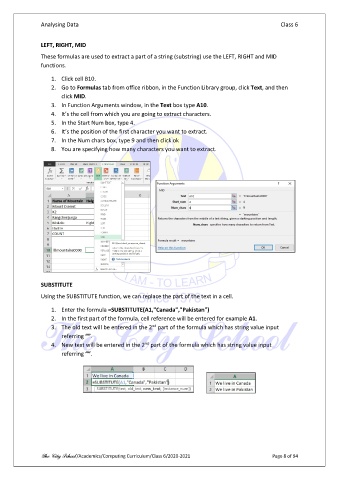
                   1.  Click cell B10.
                   2.  Go to Formulas tab from office ribbon, in the Function Library group, click Text, and then
                       click MID.
                   3.  In Function Arguments window, in the Text box type A10.
                   4.  It’s the cell from which you are going to extract characters.
                   5.  In the Start Num box, type 4.
                   6.  It’s the position of the first character you want to extract.
                   7.  In the Num chars box, type 9 and then click ok
                   8.  You are specifying how many characters you want to extract.


               SUBSTITUTE
               Using the SUBSTITUTE function, we can replace the part of the text in a cell.

                   1.  Enter the formula =SUBSTITUTE(A1,"Canada","Pakistan")
                   2.  In the first part of the formula, cell reference will be entered for example A1.
                                                      nd
                   3.  The old text will be entered in the 2  part of the formula which has string value input
                       referring “”.
                                                    nd
                   4.  New text will be entered in the 2  part of the formula which has string value input
                       referring “”.


               The City School /Academics/Computing Curriculum/Class 6/2020-2021                 Page 8 of 94

