


Page 28 - Computing Book 4
P. 28
Let’s Present                                                                        Class 4


               Animations:

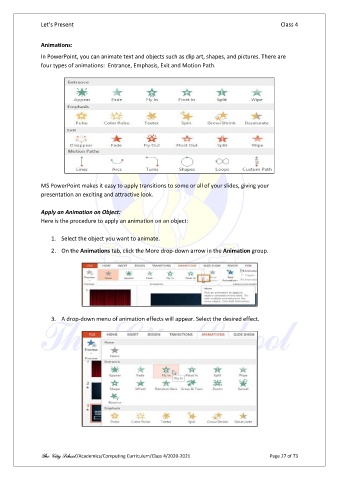
               In PowerPoint, you can animate text and objects such as clip art, shapes, and pictures. There are
               four types of animations:  Entrance, Emphasis, Exit and Motion Path.


               MS PowerPoint makes it easy to apply transitions to some or all of your slides, giving your
               presentation an exciting and attractive look.

               Apply an Animation on Object:
               Here is the procedure to apply an animation on an object:

                   1.  Select the object you want to animate.
                   2.  On the Animations tab, click the More drop-down arrow in the Animation group.


                   3.  A drop-down menu of animation effects will appear. Select the desired effect.


               The City School /Academics/Computing Curriculum/Class 4/2020-2021                Page 27 of 73

