


Page 33 - Computing Book 4
P. 33
Let’s Present                                                                        Class 4


               Remove a Hyperlink:

                   1.  Right-click the hyperlink.
                   2.  Click Remove Hyperlink.


               Insert a Hyperlink to Another Slide:

                   1.  Right-click the selected text or image, then click Hyperlink.
                   2.  The Insert Hyperlink dialogue box will appear.

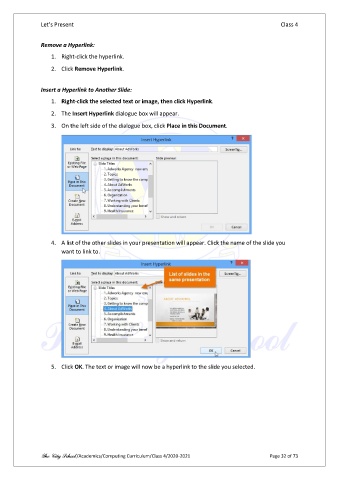
                   3.  On the left side of the dialogue box, click Place in this Document.


                   4.  A list of the other slides in your presentation will appear. Click the name of the slide you
                       want to link to.


                   5.  Click OK. The text or image will now be a hyperlink to the slide you selected.


               The City School /Academics/Computing Curriculum/Class 4/2020-2021                Page 32 of 73

