


Page 28 - Computing Book 5
P. 28
Working with Media                                                                   Class 5


               Edit Title Effects

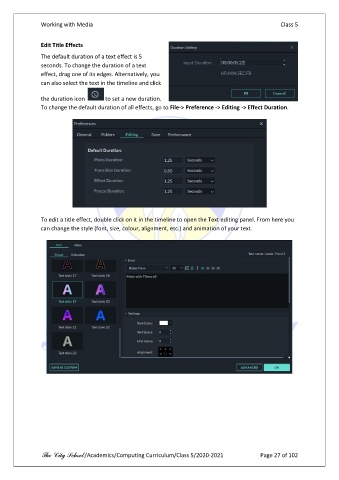
               The default duration of a text effect is 5
               seconds. To change the duration of a text
               effect, drag one of its edges. Alternatively, you
               can also select the text in the timeline and click

               the duration icon       to set a new duration.
               To change the default duration of all effects, go to File-> Preference -> Editing -> Effect Duration.


               To edit a title effect, double click on it in the timeline to open the Text editing panel. From here you
               can change the style (font, size, colour, alignment, etc.) and animation of your text.


               The City School /Academics/Computing Curriculum/Class 5/2020-2021            Page 27 of 102

