


Page 32 - Computing Book 5
P. 32
Working with Media                                                                   Class 5


               Note:
                   •  The size of the video depends on the length of the project and the bit rate. If the file size
                       looks too big, you can try changing the bit rate in the Settings window to make it smaller.
                   •  If you want to export HEVC, you need to upgrade the latest Windows 10 and install the HEVC
                       video extensions by Microsoft.

               Export by the device you want to play your video on
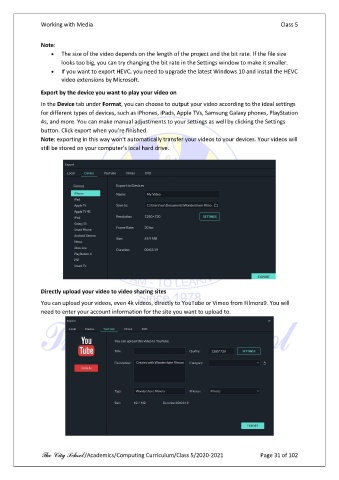
               In the Device tab under Format, you can choose to output your video according to the ideal settings
               for different types of devices, such as iPhones, iPads, Apple TVs, Samsung Galaxy phones, PlayStation
               4s, and more. You can make manual adjustments to your settings as well by clicking the Settings
               button. Click export when you’re finished.
               Note: exporting in this way won't automatically transfer your videos to your devices. Your videos will
               still be stored on your computer’s local hard drive.


               Directly upload your video to video sharing sites

               You can upload your videos, even 4k videos, directly to YouTube or Vimeo from Filmora9. You will
               need to enter your account information for the site you want to upload to.


               The City School /Academics/Computing Curriculum/Class 5/2020-2021            Page 31 of 102

