


Page 47 - Computing Book 5
P. 47
Presenting Your Ideas                                                                Class 5


               Change the Chart Style:

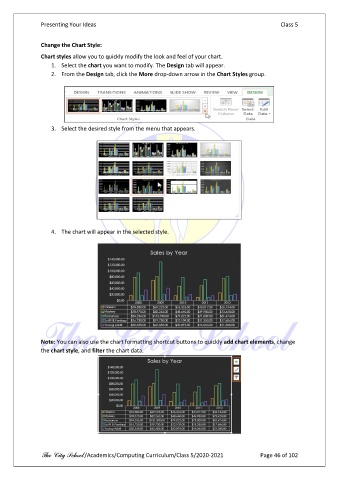
               Chart styles allow you to quickly modify the look and feel of your chart.
                   1.  Select the chart you want to modify. The Design tab will appear.
                   2.  From the Design tab, click the More drop-down arrow in the Chart Styles group.


                   3.  Select the desired style from the menu that appears.


                   4.  The chart will appear in the selected style.


               Note: You can also use the chart formatting shortcut buttons to quickly add chart elements, change
               the chart style, and filter the chart data.


               The City School /Academics/Computing Curriculum/Class 5/2020-2021            Page 46 of 102

