


Page 3 - Employee Navigator Guide
P. 3
How to Update an Employee profile

               Step 1: Login to your Employee Navigator account by following the link below:

               https://www.employeenavigator.com/benefits/Login.aspx

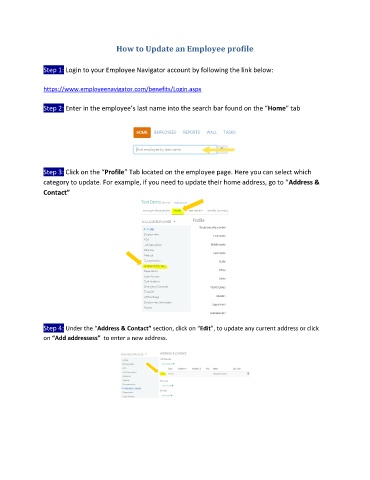
               Step 2: Enter in the employee’s last name into the search bar found on the “Home” tab


               Step 3: Click on the “Profile” Tab located on the employee page. Here you can select which
               category to update. For example, if you need to update their home address, go to “Address &
               Contact”


               Step 4: Under the “Address & Contact” section, click on “Edit”, to update any current address or click
               on “Add addressess”  to enter a new address.

