


Page 5 - Employee Navigator Guide
P. 5
How to Terminate an Employee


               Step 1: Login to your Employee Navigator account by following the link below:

               https://www.employeenavigator.com/benefits/Login.aspx

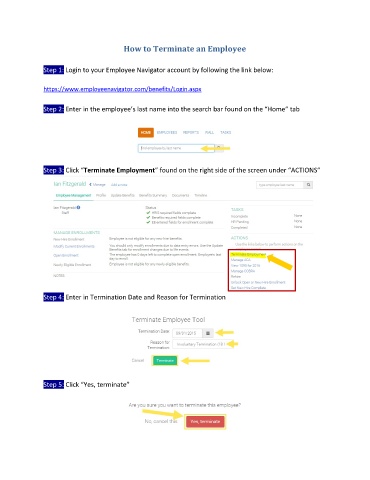
               Step 2: Enter in the employee’s last name into the search bar found on the “Home” tab


               Step 3: Click “Terminate Employment” found on the right side of the screen under “ACTIONS”


               Step 4: Enter in Termination Date and Reason for Termination


               Step 5: Click “Yes, terminate”

