


Page 64 - TCS ICT Book 8
P. 64
The City School  2021-2022


             8.  Once you have given your form a title, there will

                be two more options below by which you can
                open the form to see what that form looks like,
                or you can begin entering information into your

                table.

             9.  You can choose the option to modify the form’s
                design.
             10. Choose the first option to open the form to view

                or enter information and click Finish.

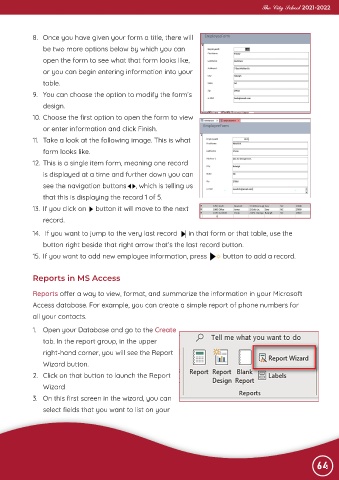
             11.  Take a look at the following image. This is what
                form looks like.
             12. This is a single item form, meaning one record

                is displayed at a time and further down you can

                see the navigation buttons     , which is telling us
                that this is displaying the record 1 of 5.
             13.  If you click on     button it will move to the next

                record.

             14.   If you want to jump to the very last record      in that form or that table, use the
                button right beside that right arrow that’s the last record button.

             15.  If you want to add new employee information, press            button to add a record.


             Reports in MS Access

             Reports offer a way to view, format, and summarize the information in your Microsoft

             Access database. For example, you can create a simple report of phone numbers for
             all your contacts.

             1.  Open your Database and go to the Create

                tab. In the report group, in the upper
                right-hand corner, you will see the Report

                Wizard button.
             2.  Click on that button to launch the Report

                Wizard
             3.  On this first screen in the wizard, you can

                select fields that you want to list on your


                                                                                                                64

