


Page 55 - TCS ICT Book 4
P. 55
The City School  2021-2022


           3.1.  Overview


           Excel is a spreadsheet program that allows you to store,

           organize, and analyze information.

           3.2.  Adjusting Column Width


           The AutoFit feature will allow you to set a column’s width to
           fit its content automatically.

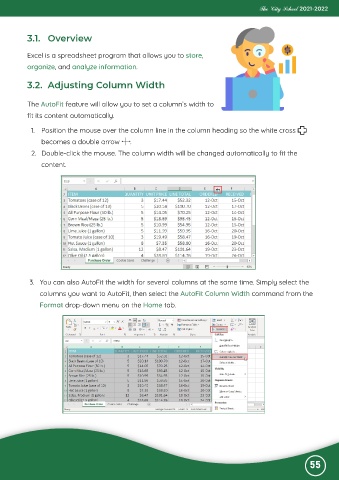
            1.  Position the mouse over the column line in the column heading so the white cross

                becomes a double arrow         .
            2.  Double-click the mouse. The column width will be changed automatically to fit the

                content.


           3.  You can also AutoFit the width for several columns at the same time. Simply select the
               columns you want to AutoFit, then select the AutoFit Column Width command from the

               Format drop-down menu on the Home tab.


                                                                                                              55

