


Page 152 - Learn To Program With Scratch
P. 152
starship is capable of firing missiles. When the starship gets hit by a certain
                         amount of enemy fire, you’d set the canFire flag to 0 to indicate that the
                         attack system has become dysfunctional; at that point, pressing the space-
                         bar won’t fire any more missiles.
                             Although you can name your flags anything you want, I recommend
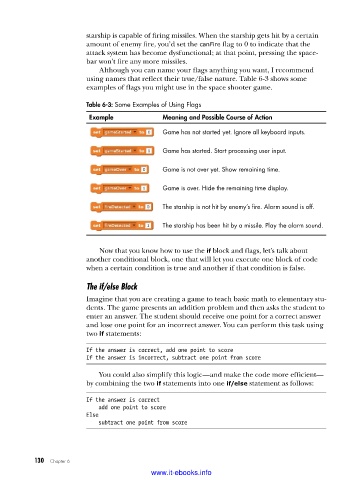
                         using names that reflect their true/false nature. Table 6-3 shows some
                         examples of flags you might use in the space shooter game.

                         Table 6-3: Some Examples of Using Flags

                          Example             Meaning and Possible Course of Action
                                              Game has not started yet . Ignore all keyboard inputs .

                                              Game has started . Start processing user input .


                                              Game is not over yet . Show remaining time .

                                              Game is over . Hide the remaining time display .

                                              The starship is not hit by enemy’s fire . Alarm sound is off .

                                              The starship has been hit by a missile . Play the alarm sound .


                             Now that you know how to use the if block and flags, let’s talk about
                         another conditional block, one that will let you execute one block of code
                         when a certain condition is true and another if that condition is false.

                         The if/else Block
                         Imagine that you are creating a game to teach basic math to elementary stu-
                         dents. The game presents an addition problem and then asks the student to
                         enter an answer. The student should receive one point for a correct answer
                         and lose one point for an incorrect answer. You can perform this task using
                         two if statements:

                         If the answer is correct, add one point to score
                         If the answer is incorrect, subtract one point from score
                             You could also simplify this logic—and make the code more efficient—
                         by combining the two if statements into one if/else statement as follows:

                         If the answer is correct
                             add one point to score
                         Else
                             subtract one point from score


           130   Chapter 6
                                           www.it-ebooks.info

