


Page 91 - Learn To Program With Scratch
P. 91
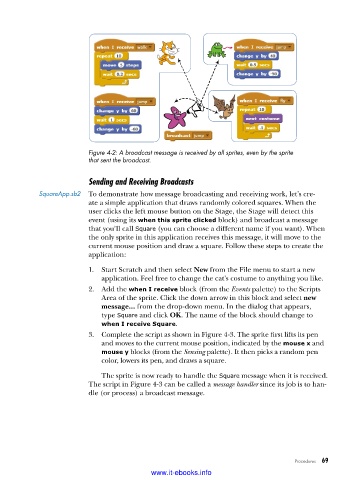
Figure 4-2: A broadcast message is received by all sprites, even by the sprite
                          that sent the broadcast .

                          Sending and Receiving Broadcasts

            SquareApp .sb2  To demonstrate how message broadcasting and receiving work, let’s cre-
                          ate a simple application that draws randomly colored squares. When the
                          user clicks the left mouse button on the Stage, the Stage will detect this
                          event (using its when this sprite clicked block) and broadcast a message
                          that you’ll call Square (you can choose a different name if you want). When
                          the only sprite in this application receives this message, it will move to the
                          current mouse position and draw a square. Follow these steps to create the
                          application:

                          1.  Start Scratch and then select New from the File menu to start a new
                             application. Feel free to change the cat’s costume to anything you like.
                          2.  Add the when I receive block (from the Events palette) to the Scripts
                             Area of the sprite. Click the down arrow in this block and select new
                             message... from the drop-down menu. In the dialog that appears,
                             type Square and click OK. The name of the block should change to
                             when I receive Square.
                          3.  Complete the script as shown in Figure 4-3. The sprite first lifts its pen
                             and moves to the current mouse position, indicated by the mouse x and
                             mouse y blocks (from the Sensing palette). It then picks a random pen
                             color, lowers its pen, and draws a square.
                             The sprite is now ready to handle the Square message when it is received.
                          The script in Figure 4-3 can be called a message handler since its job is to han-
                          dle (or process) a broadcast message.


                                                                                   Procedures   69

                                           www.it-ebooks.info

