


Page 70 - Scratch Programming Playground
P. 70
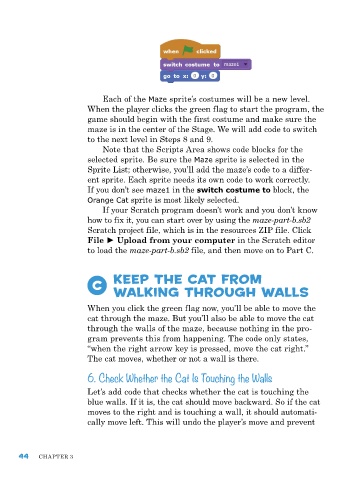
each of the Maze sprite’s costumes will be a new level.
                         When the player clicks the green flag to start the program, the
                         game should begin with the first costume and make sure the
                         maze is in the center of the Stage. We will add code to switch
                         to the next level in Steps 8 and 9.
                             note that the Scripts area shows code blocks for the
                         selected sprite. Be sure the Maze sprite is selected in the
                         Sprite List; otherwise, you’ll add the maze’s code to a differ-
                         ent sprite. each sprite needs its own code to work correctly.
                         If you don’t see maze1 in the switch costume to block, the
                         Orange Cat sprite is most likely selected.
                              If your Scratch program doesn’t work and you don’t know
                         how to fix it, you can start over by using the maze-part-b.sb2
                         Scratch project file, which is in the resources zIp file. Click
                         File ► Upload from your computer in the Scratch editor
                         to load the maze-part-b.sb2 file, and then move on to part C.


                           C     Keep the Cat from
                                 Walking Through Walls


                         When you click the green flag now, you’ll be able to move the
                         cat through the maze. But you’ll also be able to move the cat
                         through the walls of the maze, because nothing in the pro-
                         gram prevents this from happening. the code only states,
                         “when the right arrow key is pressed, move the cat right.”
                         the cat moves, whether or not a wall is there.
                         6. Check Whether the Cat Is Touching the Walls

                         Let’s add code that checks whether the cat is touching the
                         blue walls. If it is, the cat should move backward. So if the cat
                         moves to the right and is touching a wall, it should automati-
                         cally move left. this will undo the player’s move and prevent


      44    Chapter 3

