


Page 144 - Basic Course
P. 144
KNX BASIC COURSE

                  1.7 Starting ETS

                  After the installation, ETS can be started by clicking the icon


                  on the desktop or via the newly created program group called KNX.
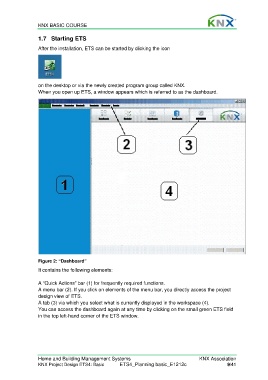
                  When you open up ETS, a window appears which is referred to as the dashboard.


                  Figure 2: “Dashboard”
                  It contains the following elements:

                  A “Quick Actions” bar (1) for frequently required functions.
                  A menu bar (2). If you click on elements of the menu bar, you directly access the project
                  design view of ETS.
                  A tab (3) via which you select what is currently displayed in the workspace (4).
                  You can access the dashboard again at any time by clicking on the small green ETS field
                  in the top left-hand corner of the ETS window.


                  Home and Building Management Systems                                    KNX Association
                  KNX Project Design ETS4: Basic      ETS4_Planning basic_E1212c                      9/41

