


Page 148 - Basic Course
P. 148
KNX BASIC COURSE
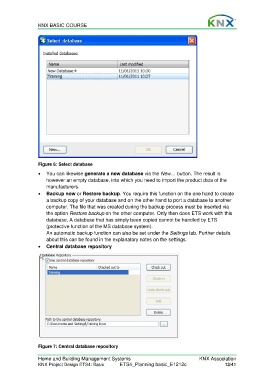
Figure 6: Select database
You can likewise generate a new database via the New… button. The result is
however an empty database, into which you need to import the product data of the
manufacturers.
Backup now or Restore backup. You require this function on the one hand to create
a backup copy of your database and on the other hand to port a database to another
computer. The file that was created during the backup process must be inserted via
the option Restore backup on the other computer. Only then does ETS work with this
database. A database that has simply been copied cannot be handled by ETS
(protective function of the MS database system).
An automatic backup function can also be set under the Settings tab. Further details
about this can be found in the explanatory notes on the settings.
Central database repository
Figure 7: Central database repository
Home and Building Management Systems KNX Association
KNX Project Design ETS4: Basic ETS4_Planning basic_E1212c 13/41

