


Page 170 - Basic Course
P. 170
KNX BASIC COURSE


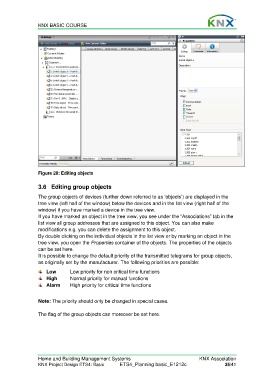
                  Figure 28: Editing objects


                  3.6  Editing group objects

                  The group objects of devices (further down referred to as ‘objects’) are displayed in the
                  tree view (left half of the window) below the devices and in the list view (right half of the
                  window) if you have marked a device in the tree view.
                  If you have marked an object in the tree view, you see under the “Associations” tab in the
                  list view all group addresses that are assigned to this object. You can also make
                  modifications e.g. you can delete the assignment to this object.
                  By double clicking on the individual objects in the list view or by marking an object in the
                  tree view, you open the Properties container of the objects. The properties of the objects
                  can be set here.
                  It is possible to change the default priority of the transmitted telegrams for group objects,
                  as originally set by the manufacturer. The following priorities are possible:
                      Low       Low priority for non critical time functions
                      High      Normal priority for manual functions
                      Alarm     High priority for critical time functions


                  Note: The priority should only be changed in special cases.

                  The flag of the group objects can moreover be set here.


                  Home and Building Management Systems                                    KNX Association
                  KNX Project Design ETS4: Basic      ETS4_Planning basic_E1212c                     35/41

