


Page 194 - Basic Course
P. 194
KNX BASIC COURSE


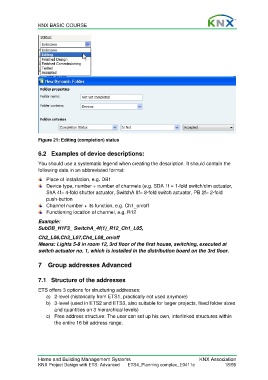
                  Figure 21: Editing (completion) status


                  6.2  Examples of device descriptions:
                  You should use a systematic legend when creating the description. It should contain the
                  following data in an abbreviated format:

                      Place of installation, e.g. DB1
                      Device type, number + number of channels (e.g. SDA 1f = 1-fold switch/dim actuator,
                      ShA 4f= 4-fold shutter actuator, SwitchA 8f= 8-fold switch actuator, PB 2f= 2-fold
                      push-button
                      Channel number + its function, e.g. Ch1_on/off
                      Functioning location of channel, e.g. R12

                  Example:
                  SubDB_H1F3_ SwitchA_4f(1)_R12_Ch1_L05,

                  Ch2_L06,Ch3_L07,Ch4_L08_on/off
                  Means: Lights 5-8 in room 12, 3rd floor of the first house, switching, executed at
                  switch actuator no. 1, which is installed in the distribution board on the 3rd floor.

                  7  Group addresses Advanced


                  7.1  Structure of the addresses

                  ETS offers 3 options for structuring addresses:
                      a)  2-level (historically from ETS1, practically not used anymore)
                      b)  3-level (used in ETS2 and ETS3, also suitable for larger projects, fixed folder sizes
                         and quantities on 3 hierarchical levels)
                      c)  Free address structure: The user can set up his own, interlinked structures within
                         the entire 16 bit address range.


                  Home and Building Management Systems                                    KNX Association
                  KNX Project Design with ETS: Advanced   ETS4_Planning complex_E0411c               18/59

