


Page 189 - Basic Course
P. 189
KNX BASIC COURSE


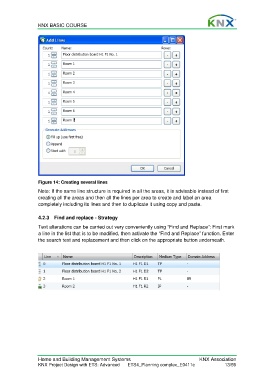
                  Figure 14: Creating several lines
                  Note: If the same line structure is required in all the areas, it is advisable instead of first
                  creating all the areas and then all the lines per area to create and label an area
                  completely including its lines and then to duplicate it using copy and paste.


                  4.2.3  Find and replace - Strategy
                  Text alterations can be carried out very conveniently using “Find and Replace”: First mark
                  a line in the list that is to be modified, then activate the “Find and Replace” function. Enter
                  the search text and replacement and then click on the appropriate button underneath.


                  Home and Building Management Systems                                    KNX Association
                  KNX Project Design with ETS: Advanced   ETS4_Planning complex_E0411c               13/59

