


Page 190 - Basic Course
P. 190
KNX BASIC COURSE


                                                            Caution!


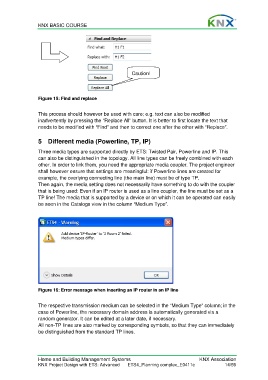
                  Figure 15: Find and replace

                  This process should however be used with care; e.g. text can also be modified
                  inadvertently by pressing the “Replace All” button. It is better to first locate the text that
                  needs to be modified with “Find” and then to correct one after the other with “Replace”.


                  5  Different media (Powerline, TP, IP)

                  Three media types are supported directly by ETS: Twisted Pair, Powerline and IP. This
                  can also be distinguished in the topology. All line types can be freely combined with each
                  other. In order to link them, you need the appropriate media coupler. The project engineer
                  shall however ensure that settings are meaningful: if Powerline lines are created for
                  example, the overlying connecting line (the main line) must be of type TP.
                  Then again, the media setting does not necessarily have something to do with the coupler
                  that is being used: Even if an IP router is used as a line coupler, the line must be set as a
                  TP line! The media that is supported by a device or on which it can be operated can easily
                  be seen in the Catalogs view in the column “Medium Type”.


                  Figure 16: Error message when inserting an IP router in an IP line

                  The respective transmission medium can be selected in the “Medium Type” column; in the
                  case of Powerline, the necessary domain address is automatically generated via a
                  random generator. It can be edited at a later date, if necessary.
                  All non-TP lines are also marked by corresponding symbols, so that they can immediately
                  be distinguished from the standard TP lines.


                  Home and Building Management Systems                                    KNX Association
                  KNX Project Design with ETS: Advanced   ETS4_Planning complex_E0411c               14/59

