


Page 207 - Basic Course
P. 207
KNX BASIC COURSE


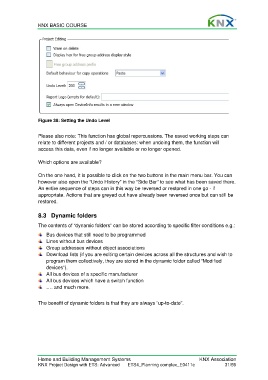
                  Figure 38: Setting the Undo Level

                  Please also note: This function has global repercussions. The saved working steps can
                  relate to different projects and / or databases: when undoing them, the function will
                  access this data, even if no longer available or no longer opened.

                  Which options are available?

                  On the one hand, it is possible to click on the two buttons in the main menu bar. You can
                  however also open the “Undo History” in the “Side Bar” to see what has been saved there.
                  An entire sequence of steps can in this way be reversed or restored in one go - if
                  appropriate. Actions that are greyed out have already been reversed once but can still be
                  restored.


                  8.3 Dynamic folders

                  The contents of “dynamic folders” can be stored according to specific filter conditions e.g.:
                      Bus devices that still need to be programmed
                      Lines without bus devices
                      Group addresses without object associations
                      Download lists (if you are editing certain devices across all the structures and wish to
                      program them collectively, they are stored in the dynamic folder called “Modified
                      devices”).
                      All bus devices of a specific manufacturer
                      All bus devices which have a switch function
                      …. and much more.

                  The benefit of dynamic folders is that they are always “up-to-date”.


                  Home and Building Management Systems                                    KNX Association
                  KNX Project Design with ETS: Advanced   ETS4_Planning complex_E0411c               31/59

