


Page 292 - Basic Course
P. 292
KNX BASIC COURSE

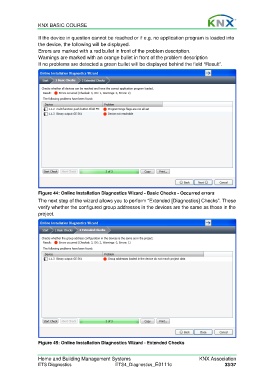
                  If the device in question cannot be reached or if e.g. no application program is loaded into
                  the device, the following will be displayed.
                  Errors are marked with a red bullet in front of the problem description.
                  Warnings are marked with an orange bullet in front of the problem description
                  If no problems are detected a green bullet will be displayed behind the field “Result”.


                  Figure 44: Online Installation Diagnostics Wizard - Basic Checks - Occurred errors
                  The next step of the wizard allows you to perform “Extended [Diagnostics] Checks”. These
                  verify whether the configured group addresses in the devices are the same as those in the
                  project.


                  Figure 45: Online Installation Diagnostics Wizard - Extended Checks


                  Home and Building Management Systems                                    KNX Association
                  ETS Diagnostics                   ETS4_Diagnostics_E0111c                          33/37

