


Page 59 - 100 - HR Management Manual
P. 59
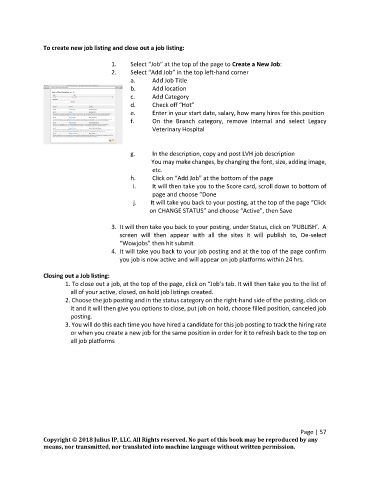
To create new job listing and close out a job listing:

                                      1.    Select “Job” at the top of the page to Create a New Job:
                                      2.    Select “Add Job” in the top left-hand corner
                                            a.     Add Job Title
                                            b.     Add location
                                            c.     Add Category
                                            d.     Check off “Hot”
                                            e.     Enter in your start date, salary, how many hires for this position
                                            f.     On  the  Branch  category,  remove  internal  and  select  Legacy
                                                   Veterinary Hospital


                                            g.     In the description, copy and post LVH job description
                                                         You may make changes, by changing the font, size, adding image,
                                                   etc.
                                            h.     Click on “Add Job” at the bottom of the page
                                             i.    It will then take you to the Score card, scroll down to bottom of
                                                   page and choose “Done
                                             j.         It will take you back to your posting, at the top of the page “Click
                                                   on CHANGE STATUS” and choose “Active”, then Save

                                      3.  It will then take you back to your posting, under Status, click on ‘PUBLISH’.  A
                                         screen  will  then  appear  with  all  the  sites  it  will  publish  to,  De-select
                                         “Wowjobs” then hit submit
                                      4.  It will take you back to your job posting and at the top of the page confirm
                                         you job is now active and will appear on job platforms within 24 hrs.

               Closing out a Job listing:
                       1. To close out a job, at the top of the page, click on “Job’s tab. It will then take you to the list of
                        all of your active, closed, on hold job listings created.
                       2. Choose the job posting and in the status category on the right-hand side of the posting, click on
                        it and it will then give you options to close, put job on hold, choose filled position, canceled job
                        posting.
                       3. You will do this each time you have hired a candidate for this job posting to track the hiring rate
                        or when you create a new job for the same position in order for it to refresh back to the top on
                        all job platforms


                                                                                                    Page | 57
               Copyright © 2018 Julius IP, LLC. All Rights reserved. No part of this book may be reproduced by any
               means, nor transmitted, nor translated into machine language without written permission.

