


Page 52 - Executive Director
P. 52
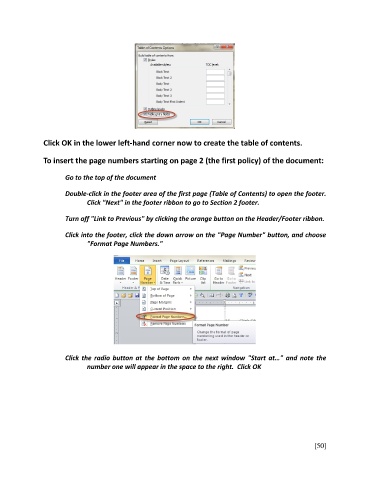
Click OK in the lower left-hand corner now to create the table of contents.

               To insert the page numbers starting on page 2 (the first policy) of the document:


                       Go to the top of the document

                       Double-click in the footer area of the first page (Table of Contents) to open the footer.
                              Click "Next" in the footer ribbon to go to Section 2 footer.

                       Turn off "Link to Previous" by clicking the orange button on the Header/Footer ribbon.


                       Click into the footer, click the down arrow on the "Page Number" button, and choose
                              "Format Page Numbers."


                       Click the radio button at the bottom on the next window "Start at…" and note the
                              number one will appear in the space to the right.  Click OK


                                                                                                         [50]

