


Page 18 - Computing E-Book Grade 6
P. 18
The City School  2021-2022


             RIGHT

             RIGHT returns the last character or characters in a text string, based on the number of

             characters you specify.


                                            =RIGHT (text, [num_chars])


             •  text: the text to extract from.
             •  num_chars[optional]: the number of characters to extract. If not specified, Excel

                chooses 1 by default.

             1.  In this example, we will extract the word “n Pakistan“ from the right of the string

                “I live in Pakistan“ by using Right function. To do so, type in the string in the excel

                sheet.
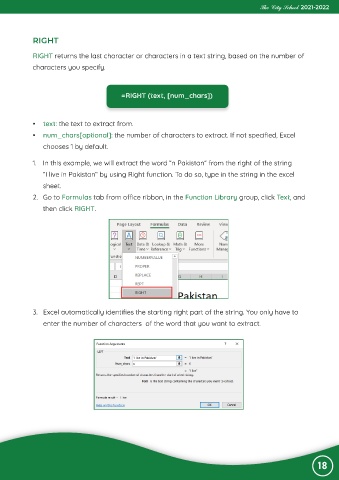
             2.  Go to Formulas tab from office ribbon, in the Function Library group, click Text, and
                then click RIGHT.


             3.  Excel automatically identifies the starting right part of the string. You only have to

                enter the number of characters  of the word that you want to extract.


                                                                                                                 18

