


Page 22 - Computing E-Book Grade 6
P. 22
The City School  2021-2022


             IF

             Excel’s IF function can often prove to be very useful. You can use this function to

             branch to different values or actions depending on a specified condition. The structure
             of an IF function is:


                                        =IF (logical_test, value_if_true,
                                        value_if_false)


             •  logical_test: a value or logical expression that can be evaluated as TRUE or FALSE.
             •  value_if_true: the value to return when logical_test evaluates to TRUE.

             •  value_if_false: the value to return when logical_test evaluates to FALSE.


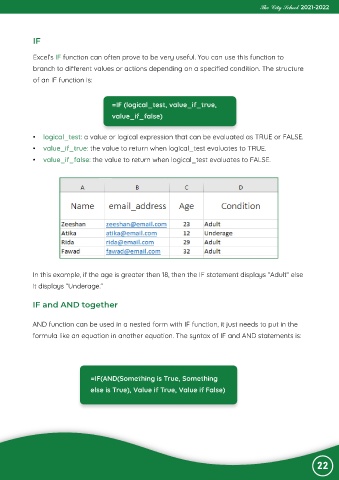
             In this example, if the age is greater then 18, then the IF statement displays “Adult“ else

             it displays “Underage.“


             IF and AND together


            AND function can be used in a nested form with IF function, it just needs to put in the
            formula like an equation in another equation. The syntax of IF and AND statements is:


                                 =IF(AND(Something is True, Something
                                 else is True), Value if True, Value if False)


                                                                                                                22

