


Page 24 - Computing E-Book Grade 6
P. 24
The City School  2021-2022


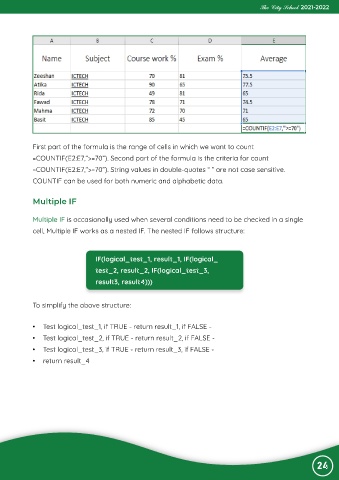
             First part of the formula is the range of cells in which we want to count

             =COUNTIF(E2:E7,”>=70”). Second part of the formula is the criteria for count
             =COUNTIF(E2:E7,”>=70”). String values in double-quotes “ ” are not case sensitive.
             COUNTIF can be used for both numeric and alphabetic data.


             Multiple IF


             Multiple IF is occasionally used when several conditions need to be checked in a single
             cell, Multiple IF works as a nested IF. The nested IF follows structure:


                                   IF(logical_test_1, result_1, IF(logical_
                                   test_2, result_2, IF(logical_test_3,

                                   result3, result4)))


             To simplify the above structure:


             •  Test logical_test_1, if TRUE - return result_1, if FALSE -

             •  Test logical_test_2, if TRUE - return result_2, if FALSE -
             •  Test logical_test_3, if TRUE - return result_3, if FALSE -

             •  return result_4


                                                                                                                24

