


Page 46 - Computing E-Book Grade 6
P. 46
The City School  2020-2021


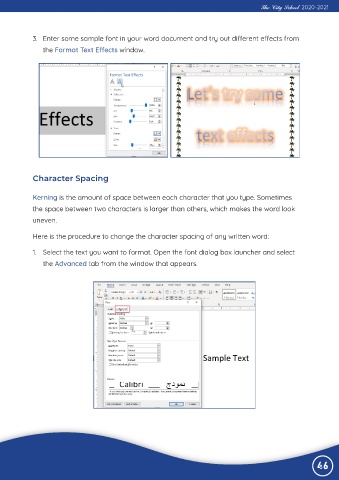
             3.  Enter some sample font in your word document and try out different effects from

                the Format Text Effects window.


             Character Spacing


             Kerning is the amount of space between each character that you type. Sometimes

             the space between two characters is larger than others, which makes the word look
             uneven.


             Here is the procedure to change the character spacing of any written word:

             1.  Select the text you want to format. Open the font dialog box launcher and select

                the Advanced tab from the window that appears.


                                                                                                                46

