


Page 51 - Computing E-Book Grade 6
P. 51
The City School  2021-2022


             Text Wrapping

                                                                                                                    Document Creation
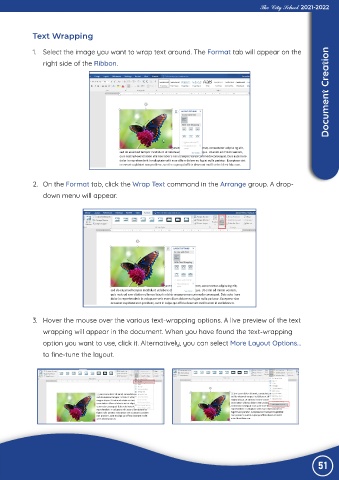
             1.  Select the image you want to wrap text around. The Format tab will appear on the
                right side of the Ribbon.


             2.  On the Format tab, click the Wrap Text command in the Arrange group. A drop-

                down menu will appear.


             3.  Hover the mouse over the various text-wrapping options. A live preview of the text

                wrapping will appear in the document. When you have found the text-wrapping
                option you want to use, click it. Alternatively, you can select More Layout Options...
                to fine-tune the layout.


                                                                                                                 51

